
A comprehensive construction project management platform designed for managing multi-project workflow.
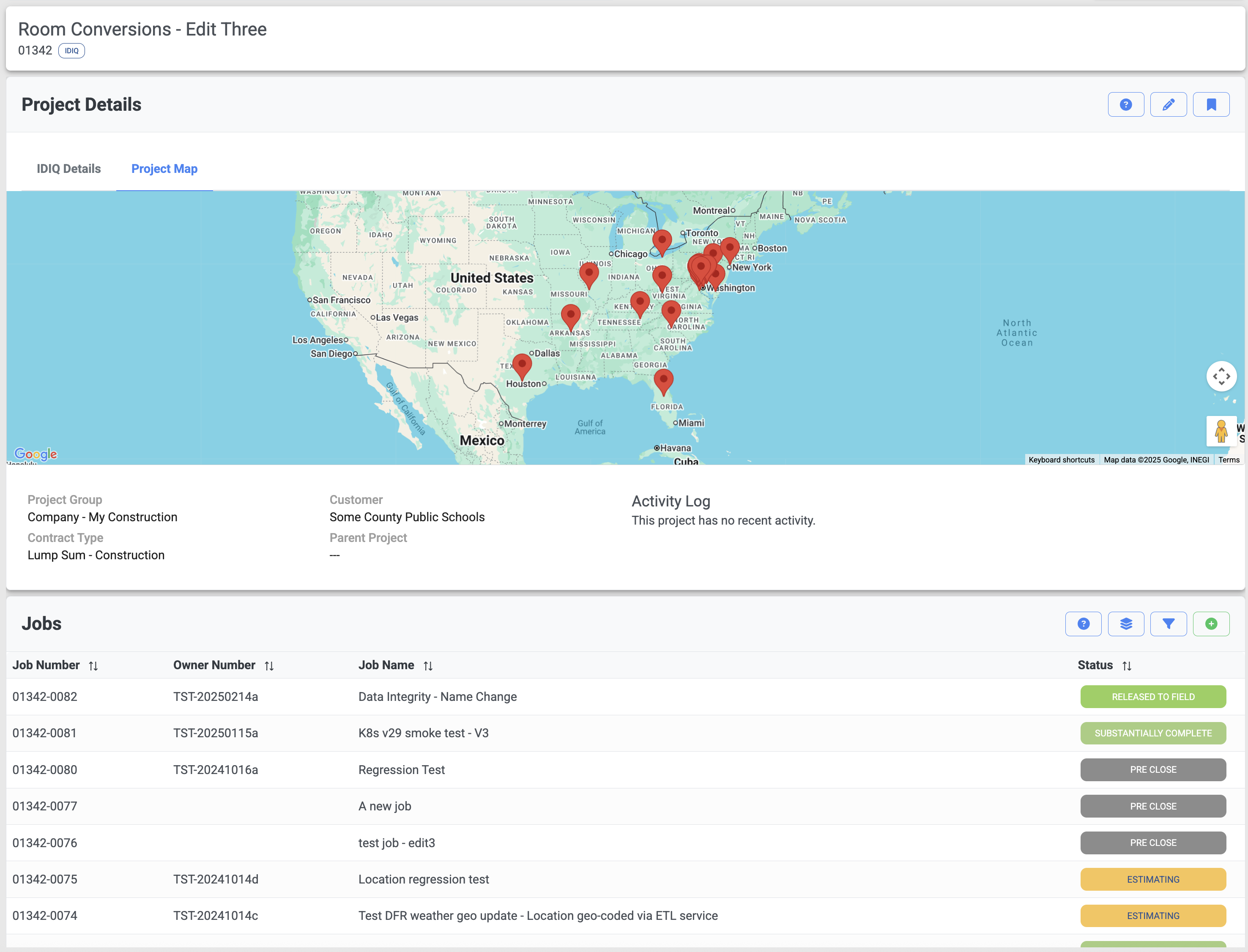
Manage your entire project portfolio from a unified dashboard. Get instant visibility across all projects, locations, and teams. Track project status, coordinate resources, and identify issues before they become problems.
Unlike single-project tools, TMG Project Center excels at helping you manage multiple concurrent projects, making it easy to allocate resources, share best practices, and maintain consistency across your entire operation.
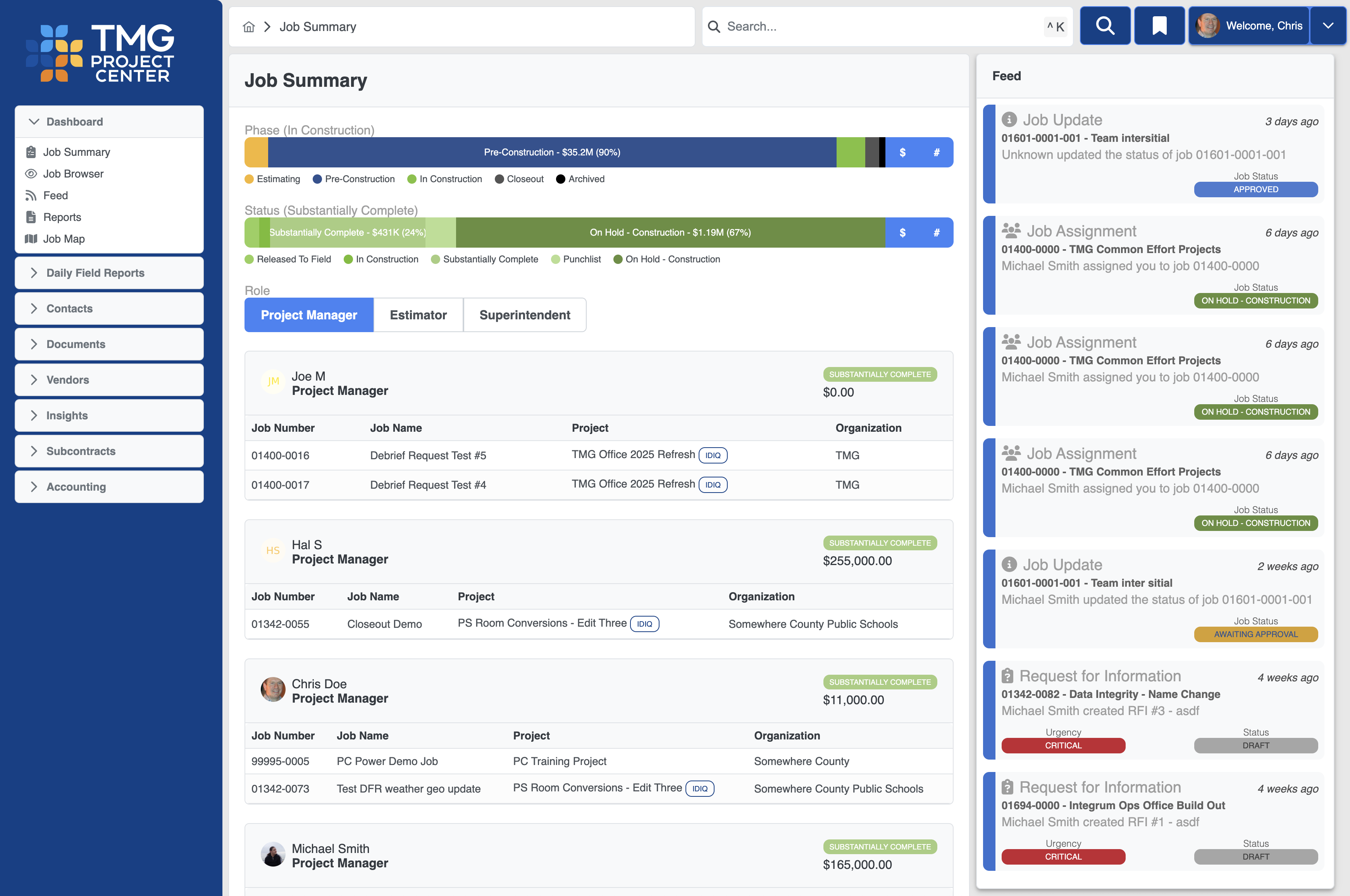
Make data-driven decisions with powerful analytics and reporting. Visualize project status, budget performance, and resource allocation across your entire portfolio. Track trends, identify patterns, and optimize your operations.
Real-time dashboards give you the insights you need to stay on schedule and on budget, with drill-down capabilities to understand the details behind every metric.
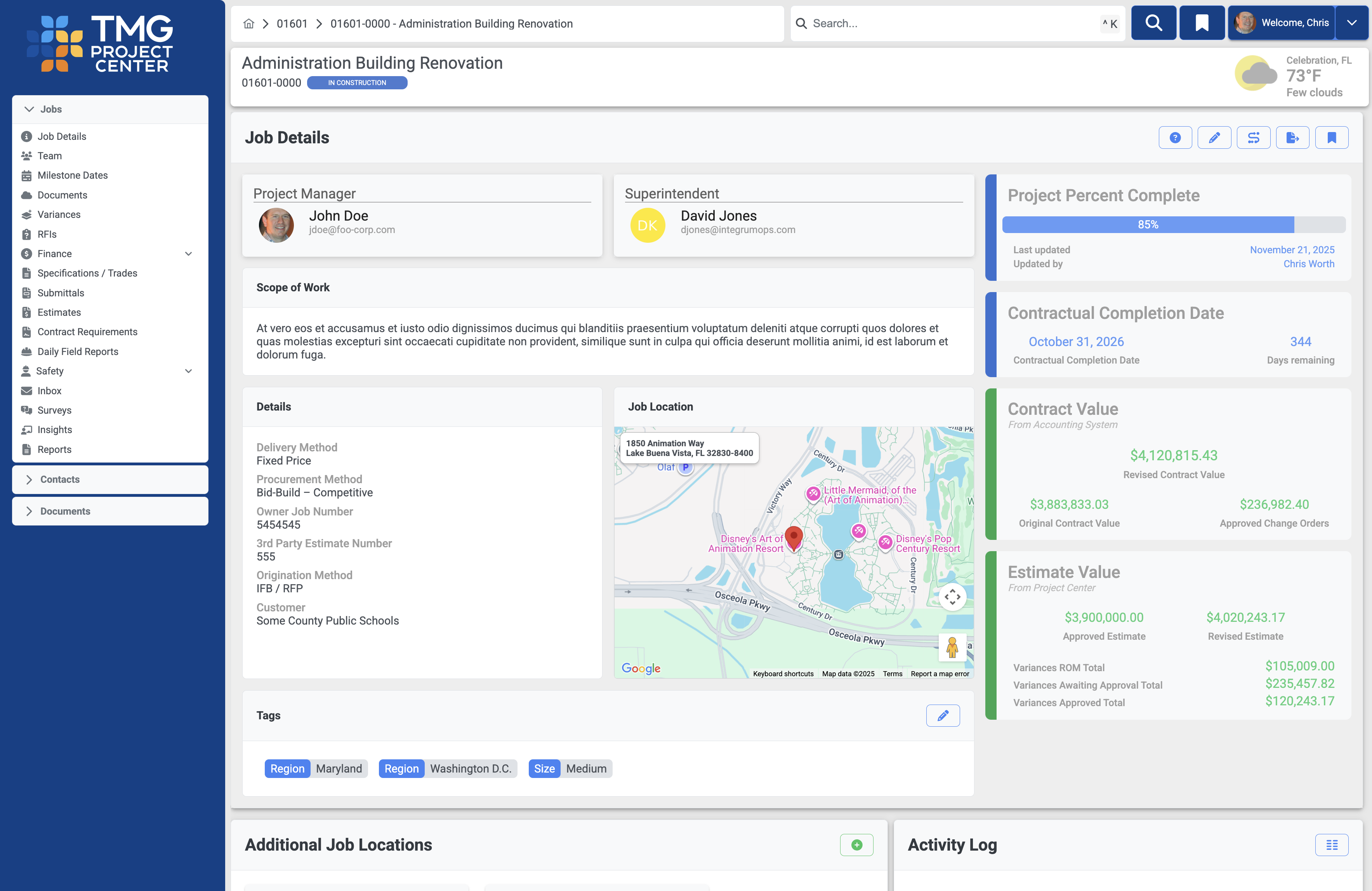
Every project gets a complete command center with all critical information at your fingertips. Track progress, manage budgets, coordinate teams, and maintain documentation all in one place.
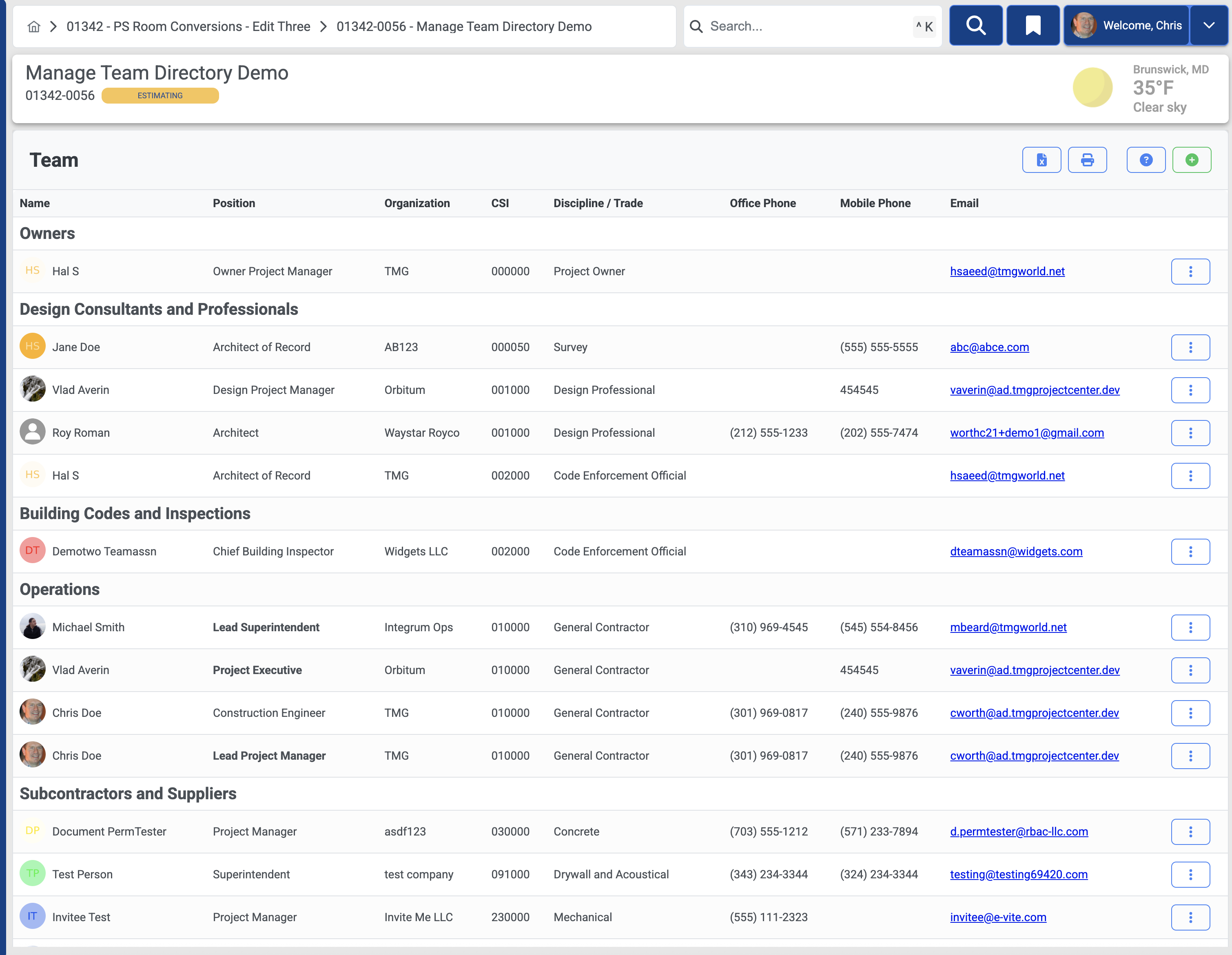
The team directory is the central hub that facilitates all other collaboration features. Assign any person to any role across functional groups like design, operations, owners, subs, and municipal authorities.
Any team member can be invited to create an account and participate in working directly within the platform.
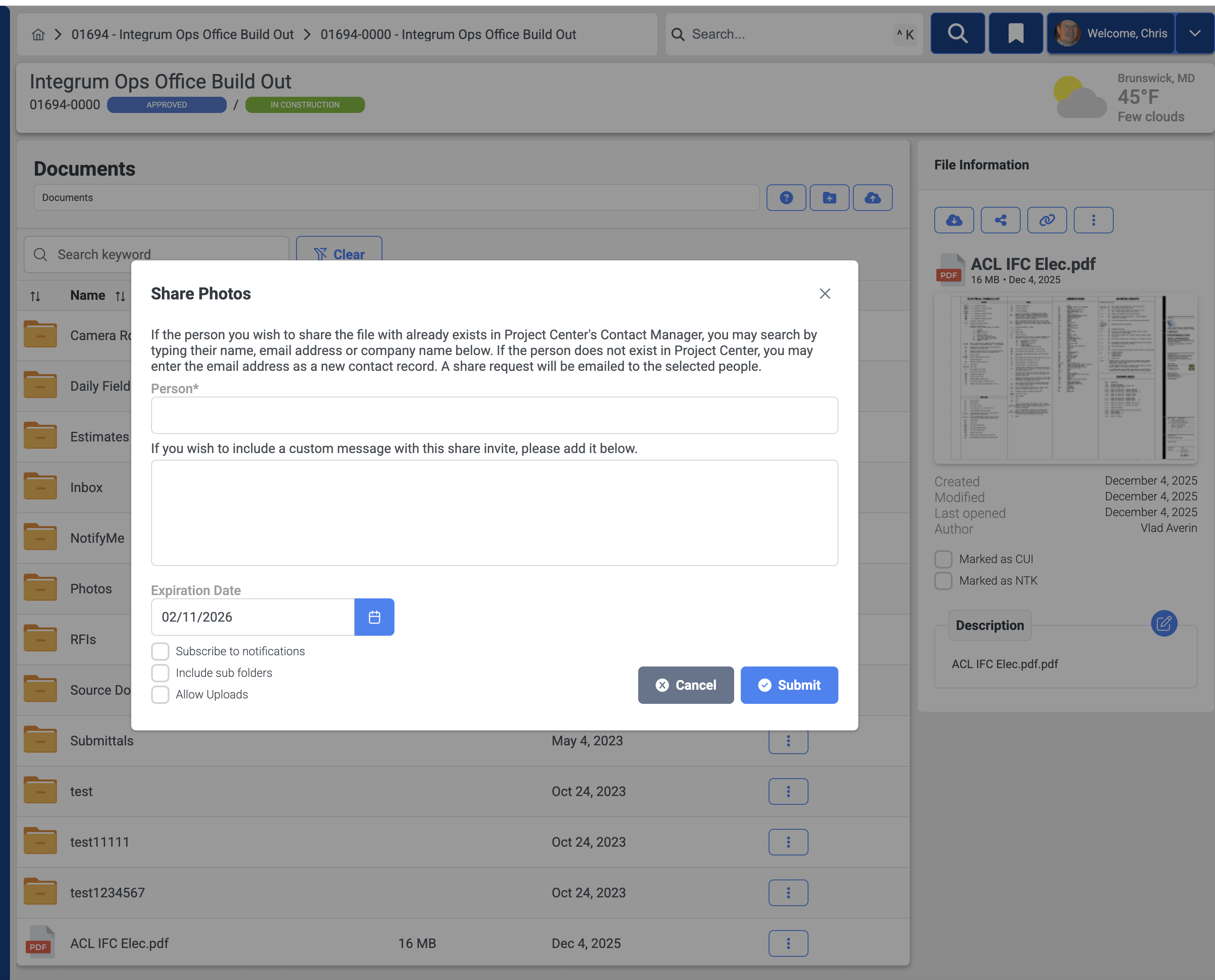
Full featured document management. Share, drawings, specifications, photos, or any other document securely with team members, subcontractors, and stakeholders. Version control ensures everyone works from the latest information.
Document sharing doesn't require the recipient to be a user – you can share documents with any email address or by using a QR code.
The document module automatically organizes and stores attachments from every other job module like RFIs and Subcontracts - say goodbye to messy unmanaged file sharing tools.
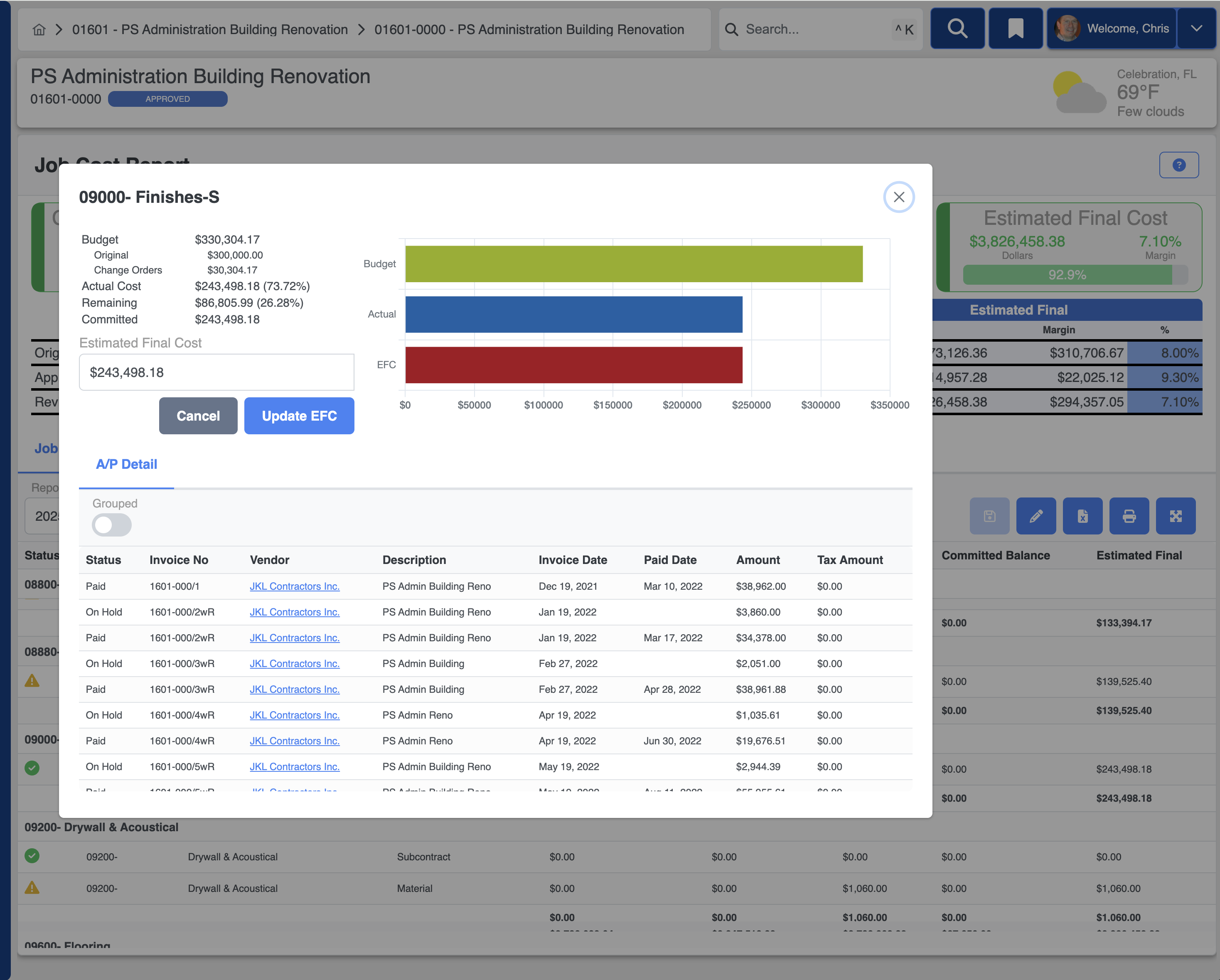
When integrated with Trimble Vista, you can access real time detailed job cost reporting directly. Get instant visibility into budget performance, track commitments, and forecast final costs to keep projects profitable from start to finish.
Drill down into the details of a cost code and see every transaction – invoices, labor hours, and subcontract payments.
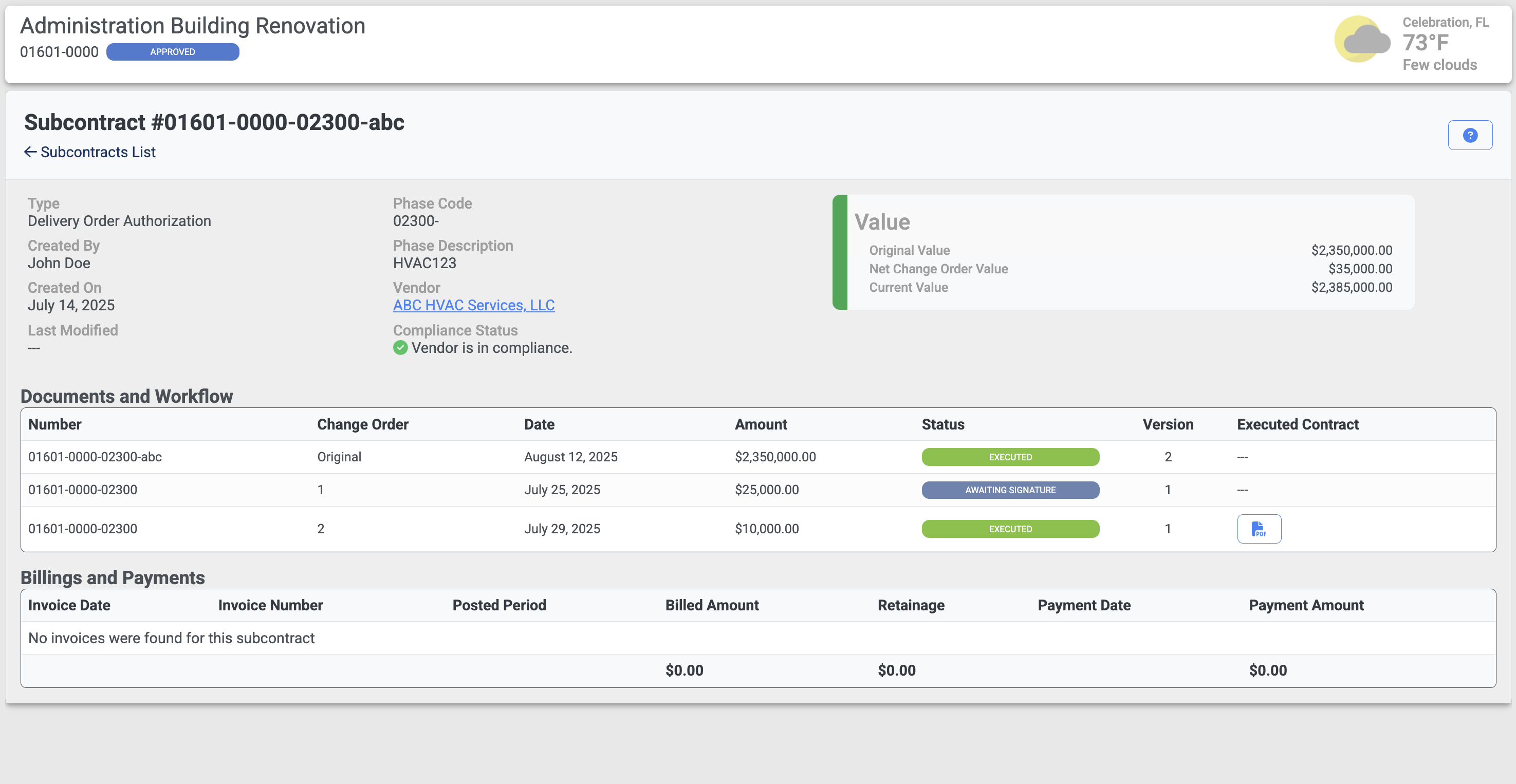
Streamline your subcontract workflow. Build subcontracts, review and approve, and send for e-signature. Track scope, commitments, change orders, and compliance - all in one system.
With Vista integration, project teams can track and view subcontract invoicing and payments.
Manage the complete submittal process from submission through approval. Track status, view attachments, and ensure timely reviews to keep projects moving forward.
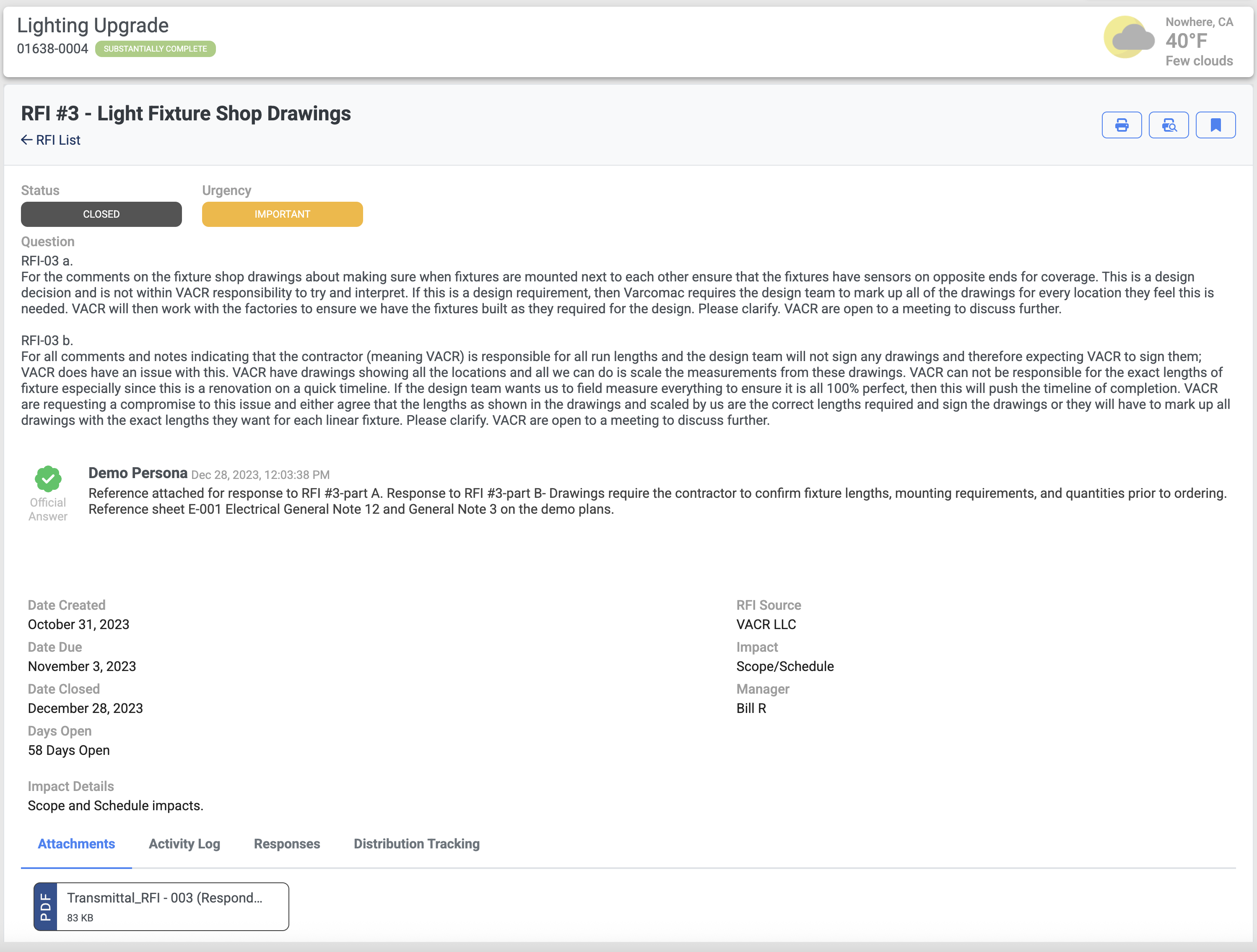
Write and forward RFIs directly to team members. Gather responses and publish the accepted answer.
Automated workflows, notifications, and audit trails ensure nothing falls through the cracks and approvals happen on schedule.
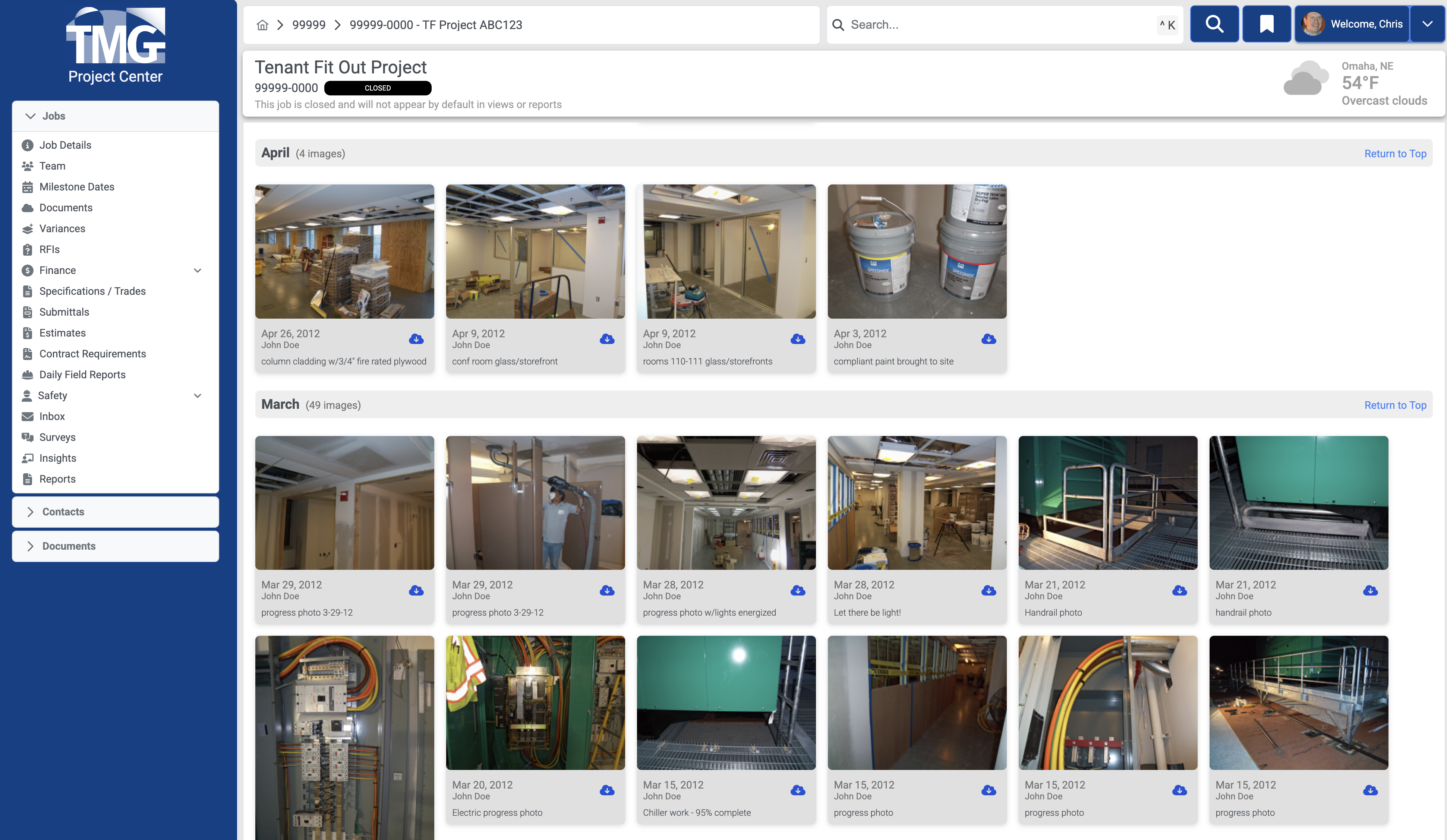
Capture and organize project photos with automatic metadata tagging. Create visual records of progress, conditions, and quality throughout construction.
Search and filter photos by date, location, or tags to quickly find the documentation you need for reports, disputes, or lessons learned.
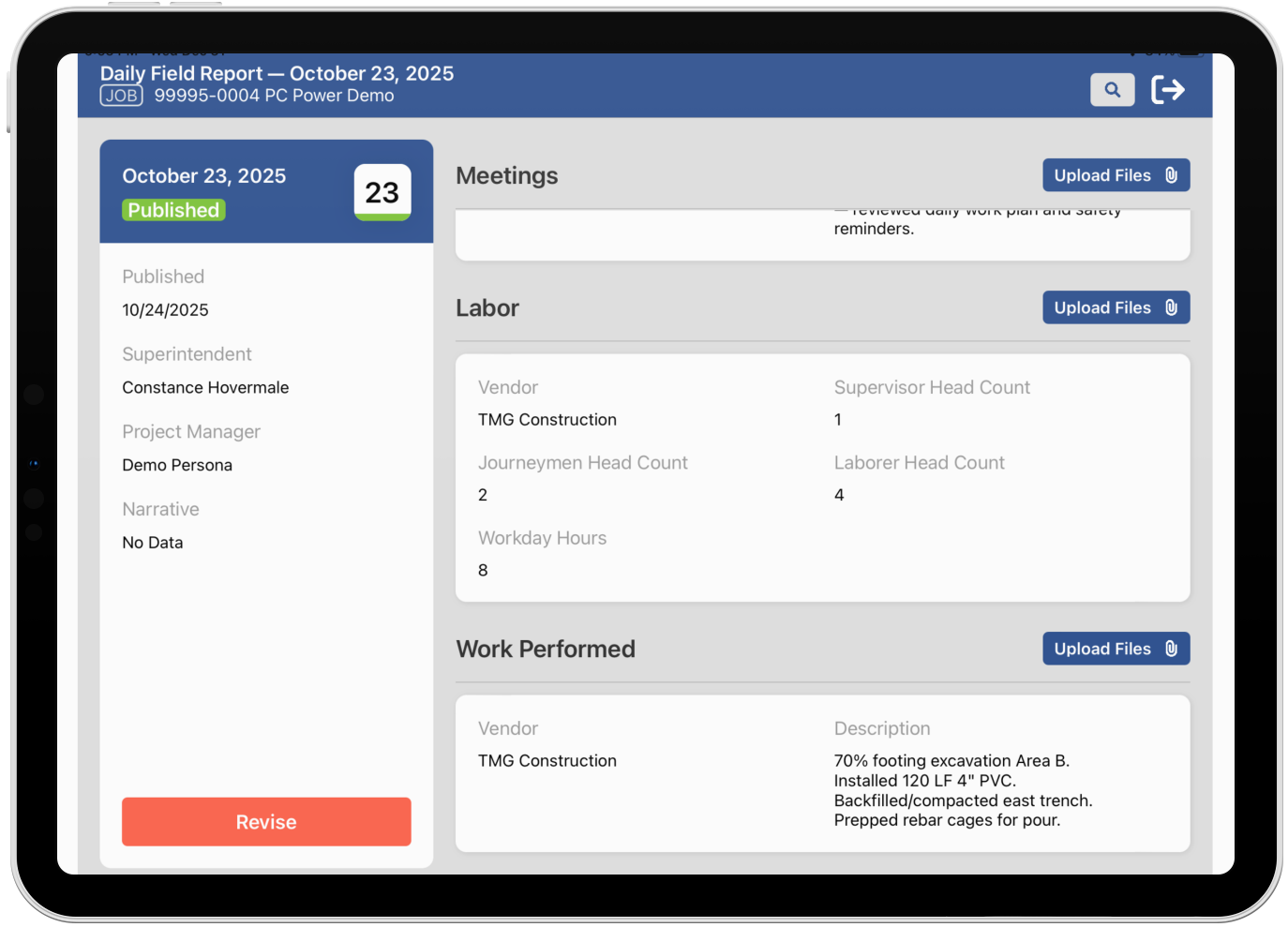
Capture daily progress, weather, labor, materials, and site conditions from the field. Keep accurate records and ensure real-time communication between field and office.
Standardized forms, photo capture, safety checklists, and vendor data ensure your field teams can document work efficiently.
Our iOS app is optimized for use on an iPad for collecting data directly in the field.
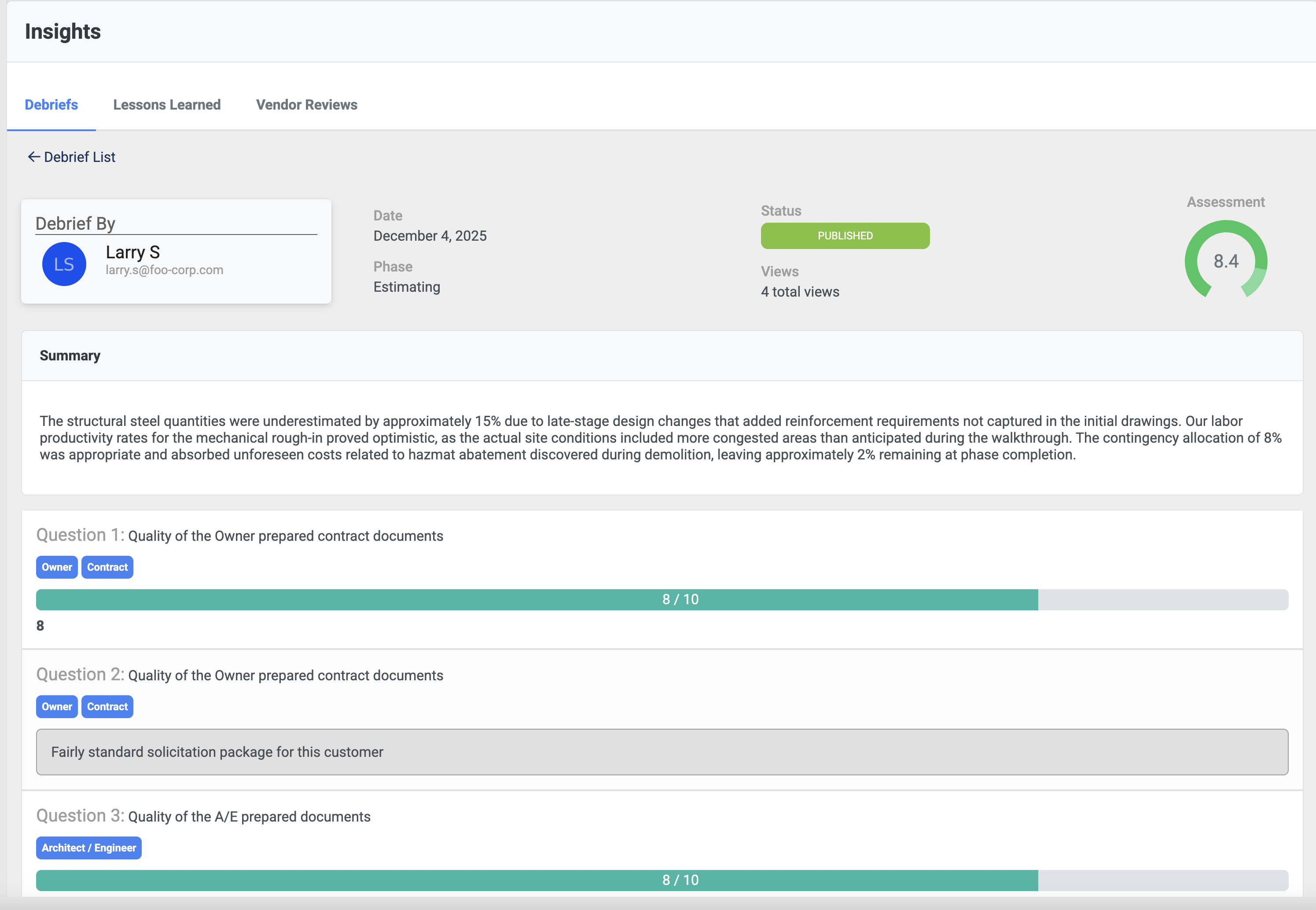
Capture lessons learned, vendor reviews, and project debriefs to improve future performance. Build institutional knowledge and avoid repeating mistakes across your portfolio.
Turn every project into a learning opportunity that benefits your entire organization and improves outcomes over time.
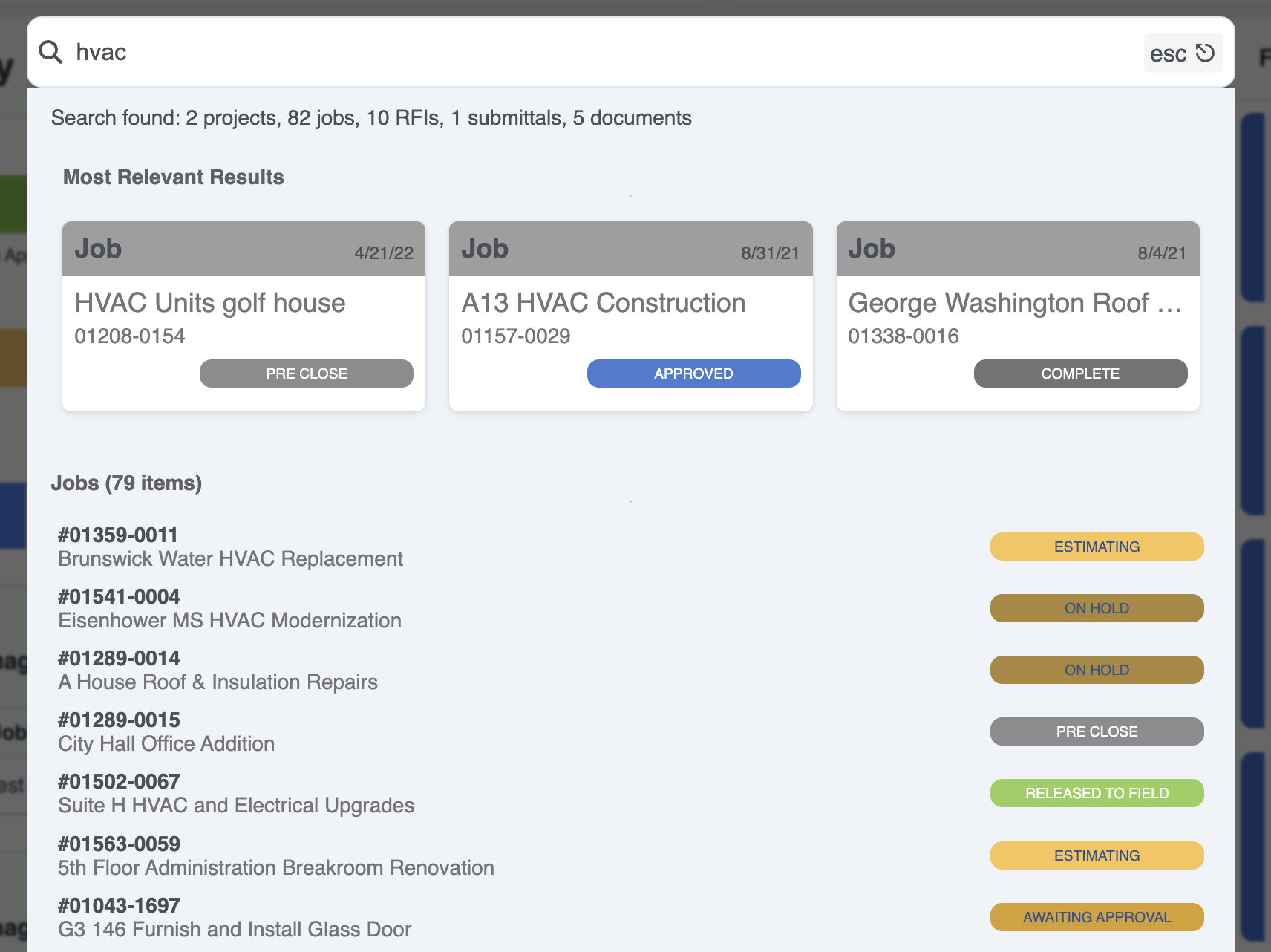
Our highly performant global search feature allows you to find anything quickly. Search across jobs, documents, people, and logs and see results as you type.